5 Best Linux antivirus software
A practical guide to the top five antivirus options for Linux desktops and servers.
Linux is often considered inherently secure, but that doesn’t mean you should ignore malware and threats. The right antivirus for Linux helps with file servers, mixed-OS environments, and endpoint protection. Below are five strong options that cover desktop and server needs, from commercial to open source.

1) ClamAV, free, open source, and widely used
What it is
- ClamAV is an open-source antivirus engine designed for cross-platform use.
- It’s commonly deployed on mail servers and file shares, but also usable on desktop systems.
Why consider it
- Free and open source with a robust command-line interface.
- Strong for scanning on demand and integrating into automated workflows (crontab, scripts).
- Regular updates via the ClamAV Signature Database.
Limitations
- Real-time protection is not built-in by default. You’ll often pair it with a scanning daemon (clamd).
- Detection might be less aggressive on newer Windows/macOS threats than some commercial products.
- GUI options exist but are less polished than paid solutions.
When to use
- You want a no-cost baseline engine for servers, mail gateways, or mixed-OS environments.
- You’re comfortable configuring daemons and scripts.
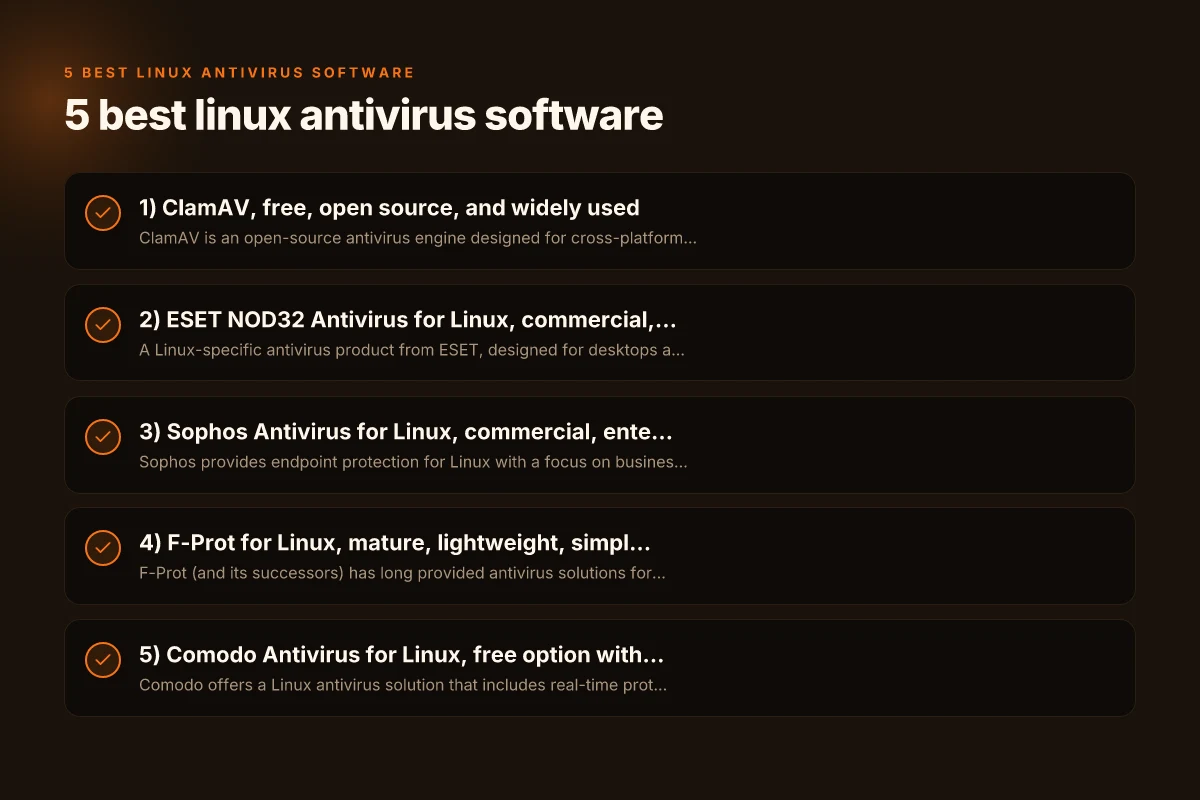
2) ESET NOD32 Antivirus for Linux, commercial, well-rounded
What it is
- A Linux-specific antivirus product from ESET, designed for desktops and servers.
- Known for a small footprint and strong heuristic detection.
Why consider it
- Real-time protection with low performance impact.
- Regular updates and strong support for enterprise deployments.
- Good Linux-specific rules and behaviors, including executable handling and kernel integration where applicable.
Limitations
- Commercial licensing required (paid product).
- Some advanced features are tailored to corporate environments. Home users may not need them all.
When to use
- You want reliable real-time protection without heavy resource use.
- You operate in a business or SMB environment needing vendor support.
3) Sophos Antivirus for Linux, commercial, enterprise-friendly
What it is
- Sophos provides endpoint protection for Linux with a focus on business environments.
- Includes on-demand scanning, real-time protection, and centralized management.
Why consider it
- Solid protection against Linux threats and cross-OS threat vectors.
- Centralized management, reporting, and policy enforcement ideal for teams.
- Good compatibility with popular Linux distributions and file servers.
Limitations
- Primarily targeted at businesses. Some advanced features come with higher tiers.
- Web console and onboarding can be more complex than consumer-grade options.
When to use
- You’re managing multiple Linux endpoints in an organization.
- You need centralized control and clear reporting.
4) F-Prot for Linux, mature, lightweight, simpler option
What it is
- F-Prot (and its successors) has long provided antivirus solutions for Linux environments.
- Lightweight footprint with straightforward scanning.
Why consider it
- Simple licensing and predictable performance.
- Minimal system impact, suitable for older hardware or streaming servers.
- Effective for on-demand scans and quick checks.
Limitations
- Updates and new signature adoption may lag behind leading vendors.
- Fewer advanced features and heuristics than top-tier competitors.
When to use
- You want a lightweight, easy-to-manage option.
- Your Linux systems include legacy hardware or resource-constrained devices.
5) Comodo Antivirus for Linux, free option with broad features
What it is
- Comodo offers a Linux antivirus solution that includes real-time protection and a sandboxing feature.
- Aimed at both desktop and server deployments.
Why consider it
- Free option with a range of security features beyond simple scanning.
- Real-time protection and automatic updates.
- Sandboxing and cloud-based analysis for unknown files.
Limitations
- Some users report occasional false positives or a heavier interface than purely CLI tools.
- The support ecosystem is mix-and-match. You’ll want to verify current enterprise-grade capabilities.
When to use
- You want a zero-cost solution with real-time protection and extra security layers.
- You’re evaluating multiple vendors and want a free option for comparison.
Side-by-side comparison (quick reference)
| Feature / Product | ClamAV | ESET NOD32 for Linux | Sophos Antivirus for Linux | F-Prot for Linux | Comodo Antivirus for Linux |
|---|---|---|---|---|---|
| Real-time protection | Optional (clamd) | Yes | Yes | Minimal | Yes |
| License | Free (open source) | Commercial | Commercial | Commercial | Free (some features paid) |
| Resource usage | Low to moderate | Lightweight | Moderate | Very light | Moderate |
| Central management | Limited (via scripts) | Yes (enterprise) | Yes (centralized) | Limited | Basic, some cloud options |
| Best for | Servers, mail gateways, scripts | SMBs, desktops | Enterprises, multiple endpoints | Older hardware, simple setups | Free baseline with extra features |
Notes:
- Real-time protection on Linux can be tricky due to file servers and mail gateways. In many cases, a scheduled or on-demand scan combined with strong access policies is sufficient.
- For servers, pairing antivirus with robust filesystem permissions, RBd, backups, and MFA is essential.
- Always verify distribution compatibility and kernel module support for your chosen product.
How to choose the right Linux antivirus
- Assess your environment: desktop, server, or mixed OS. If you manage Windows or macOS endpoints, consider cross-platform protection.
- Determine the need for real-time protection vs. on-demand scanning. Real-time protection is convenient but may impact performance on older hardware.
- Examine resource usage. Lightweight products are essential for old hardware or highly utilized servers.
- Consider management needs. If you’re in an organization, centralized console and policy enforcement can save time.
- Review update cadence and threat intelligence. Active vendors with rapid signature updates and heuristic analysis offer better protection against new threats.
Practical deployment tips
- Start with a baseline: install a lightweight scanner like ClamAV and run regular on-demand scans to establish a security baseline.
- For servers, automate updates via cron or systemd timers and schedule scans during low-usage windows.
- Use quarantine directories carefully. Ensure quarantined files are not accessible by services that require them to run.
- Integrate with your CI/CD and email gateways if you’re running mail servers or code repositories to catch malicious attachments or binaries.
- Always test in a staging environment before deploying on production systems to avoid false positives interrupting services.
Real-world scenarios and recommendations
- Mixed-OS office environment: Consider Sophos Antivirus for Linux if you need centralized management for Windows, macOS, and Linux endpoints.
- Lightweight Linux desktop with older hardware: F-Prot for Linux or a carefully tuned ClamAV setup may offer the best balance.
- File server with email gateway duties: ClamAV paired with a mail server plugin or daemon can be an efficient baseline. Add a second vendor if needed for layered defense.
- SMB with limited IT staff: ESET NOD32 for Linux or Sophos can provide easier admin experiences and better vendor support.
Final recommendation
If you’re new to Linux antivirus, start with a two-tier approach: use ClamAV for baseline protection and automation, then evaluate a commercial option like ESET NOD32 for Linux or Sophos Antivirus for Linux if you need stronger real-time protection, centralized management, and enterprise-level support. For small teams or personal use on modest hardware, ClamAV supplemented by good security hygiene (regular updates, least privilege, secure backups) often suffices. If you’re managing multiple Linux hosts in an organization, a centralized solution from Sophos or ESET can significantly reduce administrative overhead while improving protection across the fleet.