NordVPN tested too good to be true
A practical look at whether nordvpn lives up to hype and if claims are truly “too good to be true.”
Introduction When people see headlines like “nordvpn tested too good to be true,” it’s natural to wonder if the service really lives up to its bold claims. nordvpn, a long-standing player in the VPN space, markets itself on solid security, a broad server network, user-friendly apps, and aggressive pricing during promotions. But as with any tech product, the devil is in the details. This article breaks down what “too good to be true” might mean in practice, how nordvpn stacks up in real-world testing, and what you should expect as a potential user.

What people mean by “too good to be true”
Managing expectations
- Impressive marketing claims don’t always translate to the same results for every user.
- VPN performance depends on your location, device, and network conditions.
- The best guardrail is to separate marketing language from testable outcomes (security, privacy, speed, and usability).
Common claims to scrutinize
- Absolute maximum speed on every server
- Impossibly strict logging policies without any caveats
- Unbreakable unblocking capabilities for all streaming platforms
- Perpetual zero-logging in every jurisdiction
These claims are worth scrutinizing with independent tests and transparent audits.
Security and privacy: what NordVPN delivers
Encryption and protocols
- Uses industry-standard AES-256 encryption.
- Supports multiple protocols (OpenVPN, WireGuard, and IKEv2, with WireGuard’s NordLynx mode often highlighted for speed and security balance).
- Kill switch and split tunneling features available on many platforms.
Privacy posture
- Based in Panama, outside of some surveillance alliances, which can be favorable for privacy.
- Officially maintains a no-logs policy, subject to independent audits and legal requests.
- Privacy implications can still vary by jurisdiction and data retention practices, so review the latest policy and any regional regulations.
Hands-on take
For everyday privacy-minded users, nordvpn provides solid default configurations, plus extra features like double VPN and Onion over VPN in some cases. If your threat model includes industry-standard traffic analysis or adversaries with deep pockets, you’ll want to supplement with personal operational security practices and possibly additional tools.
Speed and reliability: is it really fast enough?
How speed testing tends to go
- Speed varies by server load, distance, and time of day.
- NordLynx (WireGuard-based) generally delivers better sustained speeds than default OpenVPN on many networks.
- Some users report faster speeds with nearby servers, while long-distance connections may see more noticeable degradation.
Practical tips to maximize speed
- Choose nearest servers first, then test a couple of alternates.
- Use the NordLynx protocol where possible.
- Disable unnecessary features (like double VPN) if speed is critical.
- Ensure local network factors (router, ISP, congestion) aren’t the primary bottleneck.
A sample speed landscape (illustrative)
| Scenario | Typical outcome | Notes |
|---|---|---|
| Nearby server on NordLynx | 80-95% of baseline speed | Great for streaming and gaming |
| Distant server on OpenVPN | 30-60% of baseline speed | Slower but often stable for heavy anonymity needs |
| Peak hours | Moderate slowdown | Server load becomes a bigger factor |
| VPN off | Baseline ISP speed | Use for comparison |
Note: Speeds are highly dependent on your hardware, network, and the current server pool. Real-world tests vary.
Accessibility and streaming: do the claims hold up?
Streaming unlocks and platform support
- NordVPN has a reputation for unblocking many streaming services, including popular platforms in regions where geo-restrictions are common.
- Not every library or library-backed content is guaranteed to unblock. Streaming platforms occasionally update defenses.
Compatibility and ease of use
- Apps are available on Windows, macOS, iOS, Android, Linux, and some smart TVs. Browser extensions exist but are typically not substitutes for full VPN protection.
- Features like auto-connect, DNS leak protection, and a kill switch add resilience for casual to intermediate users.
Practical take
If your primary goal is to access geo-restricted content, nordvpn is generally reliable but not universally flawless. Expect occasional hiccups, and be ready to switch servers or protocols to regain access. HideMyAss review is hma VPN any good
Pricing, plans, and the “too good to be true” question
How pricing can color perception
- NordVPN frequently runs promotional pricing that can appear deeply discounted compared to standard rates.
- Longer-term plans can offer significant savings, but your total cost depends on the plan length and add-ons you choose.
- Billing transparency: always check what you’re paying for (monthly vs. yearly) and any automatic renewals or trial terms.
Value versus claims
- If a deal promises features at “no extra cost,” verify what this includes: number of devices, server access, and security features.
- Promotions can make it look too good to be true. Read the fine print for cancellation terms, refund windows, and trial limitations.
Quick comparison point
- Regular price vs. discount price: the discount is real, but it’s promotional. The price can revert upon renewal.
- Add-ons: some features (e.g., specialized servers) may be included in some plans but not others, depending on the offer.
Real-world testing and audits: how far do independent checks go?
Independent audits
- NordVPN has undergone third-party audits to verify aspects like no-logs claims and security practices.
- Audits add credibility but come with scope, timeframes, and certain limitations. They are valuable for verification, not a blanket guarantee.
Community and expert analyses
- Tech publications and cybersecurity researchers often test VPN claims across performance, privacy, and censorship circumvention.
- Results can vary by test methodology. It’s wise to read multiple sources and consider your own use case.
Practical takeaway
Independent audits and tests help validate claims, but they are snapshots in time. VPN services evolve: app updates, server networks, and policy changes can alter outcomes.
The bottom line: is NordVPN too good to be true?
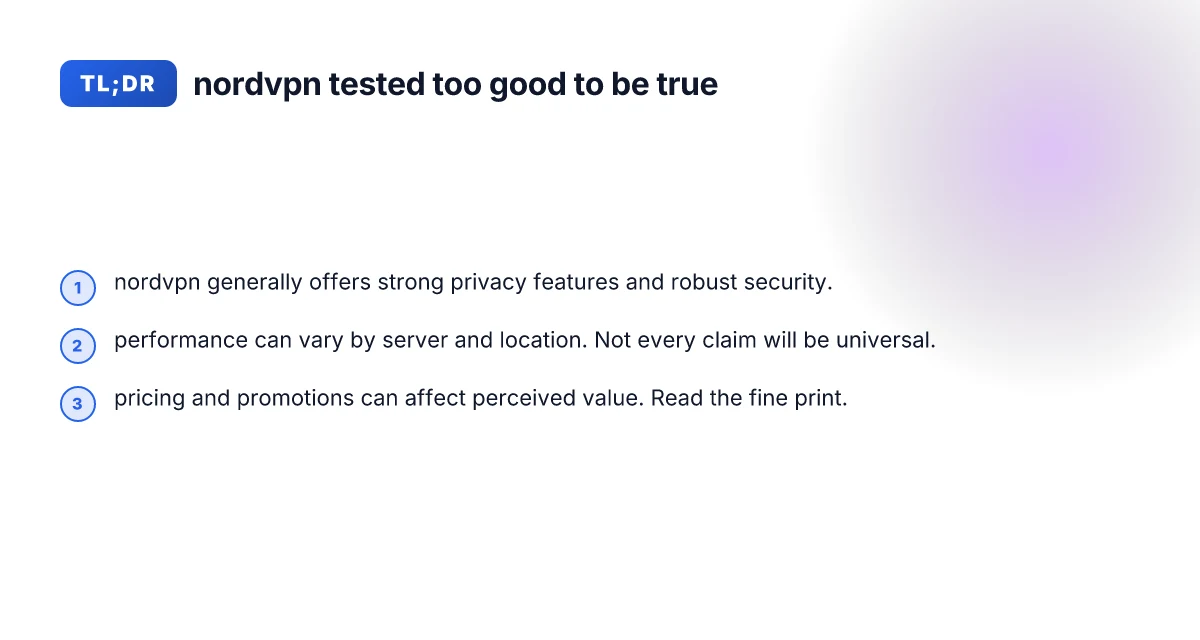
- The phrase “too good to be true” usually signals skepticism about improbable performance or guarantees. In nordvpn’s case, the answer is nuanced.
- Pros: strong security features, generally solid privacy posture, reliable streaming unblock capabilities, a broad server network, and competitive pricing during promotions.
- Cons: speed can vary by server and region, not every streaming platform is guaranteed unblockable, and promotional pricing requires reading the renewal terms.
If your priorities are straightforward privacy, robust security, and reliable access to many streaming platforms, nordvpn meets those expectations in most real-world scenarios. If you demand perfection across every server, location, and platform, you’ll likely encounter exceptions in any VPN service, including nordvpn.
Recommendation
- If you’re exploring VPNs for everyday privacy, secure browsing, and decent streaming options at a reasonable price, nordvpn is a strong candidate. Start with a short-term plan or a promotional price to test with your devices and typical usage.
- Before committing long-term, outline your priorities: speed for gaming, unblocking for streaming, or robust privacy for sensitive work. Then test a handful of servers with NordLynx enabled to gauge performance in your environment.
- Always review the latest policy and audit statements. Privacy posture is as much about current practices as historical claims.
Final thought NordVPN isn’t magically “too good to be true”. It’s a capable, feature-rich VPN with a solid track record and some caveats. The best way to know if it matches your use case is to test it yourself, compare with a few alternatives, and stay mindful of how promotions influence perceived value. ExpressVPN review
| VPN | Obfuscation | From / month | Plan | Free plan | Refund | Alipay | UnionPay | Crypto | Website opens in China | Trustpilot | |
|---|---|---|---|---|---|---|---|---|---|---|---|
 NordVPN | Turn on manually Obfuscated Servers / NordWhisper | $3.49/mo | 27 months: $94.23 | No | 30 days | ? | ✗ | ✓ | ✓ | ✗ Blocked | 4.2/5 (51,628 reviews) |
 ZoogVPN | Turn on manually Shadow | $2.49/mo | 27 months: $59.99 | Yes | 7 days | ✓ | ✓ | ✓ | ✓ | Official site blocked; our special link opens (4.4 s) | 4.2/5 (195 reviews) |
 ExpressVPN | ✓ On by default all servers | $3.00/mo | 28 months: $84 | No | 30 days | ✗ | ✗ | ✓ | ✗ | ✗ Blocked | 4.4/5 (29,706 reviews) |
 Surfshark | ✓ On by default Camouflage, with OpenVPN | See site | See site | No | 30 days | ✗ | ✗ | ✗ | ✓ | ✗ Blocked | 4.3/5 (31,823 reviews) |
 Proton VPN | Turn on manually Stealth, free plan too | $2.99/mo | 12 months: $35.88 | Yes | 30 days | ✗ | ✗ | ✗ | ✓ | ✗ Blocked | 2.1/5 (1,040 reviews) |
 Astrill VPN | Turn on manually StealthVPN / OpenWeb | $12.50/mo | 24 months: $300 | No | See site | ✗ | ✗ | ✗ | ✓ | ✗ Blocked | 1.3/5 (110 reviews) |
 Private Internet Access | Turn on manually Shadowsocks, OpenVPN only | $2.03/mo | 40 months: $81.2 | No | 30 days | ✗ | ✗ | ✗ | ✗ | ✗ Blocked | 4.2/5 (11,033 reviews) |
 CyberGhost | Turn on manually selected servers | $2.19/mo | 28 months: $61.32 | No | 45 days | ✗ | ✗ | ✗ | ✓ | ✗ Blocked | 4.0/5 (24,178 reviews) |
 PureVPN | Turn on manually switch to OpenVPN | $1.69/mo | 60 months: $101.55 | No | 31 days | ? | ? | ✗ | ✓ | ✗ Blocked | 4.4/5 (17,994 reviews) |
 AdGuard VPN | ✓ On by default TrustTunnel | $2.99/mo | 24 months: $71.76 | Yes | 30 days | ✓ | ✗ | ✓ | ✓ | Official site blocked; our special link opens (3.7 s) | 4.3/5 (290 reviews) |
 Mullvad | Turn on manually QUIC / Shadowsocks / LWO | $5.61/mo | €5/mo | No | 14 days | ✗ | ✗ | ✗ | ✓ | ✗ Blocked | 3.2/5 (192 reviews) |
 Windscribe | Turn on manually Stealth / WStunnel | $5.75/mo | 12 months: $69 | Yes | See site | ✗ | ✗ | ✗ | ✓ | ✗ Blocked | 4.7/5 (13,355 reviews) |
 StrongVPN | Turn on manually Scramble, OpenVPN TCP | See site | See site | No | 30 days | ✓ | ✗ | ✗ | ✗ | ✗ Blocked | 4.4/5 (2,695 reviews) |
 LightXtreme 闪连 | Not listed | $7.08/mo | 12 months: $84.99 | Yes | 30 days | ✓ | ✓ | ✓ | ✓ | ✓ Yes (3.5 s) | No page |
Prices checked 2026-11-10 on each vendor's pricing page (cheapest long plan, USD). Check the vendor's checkout for the final price.
Obfuscation checked 2026-11-14 on each vendor's site and help center: "on by default" = nothing to set; "turn on manually" = switch protocol or mode in settings; "not listed" = the vendor describes no obfuscation.
Payment methods checked 2026-11-10 on each vendor's payment pages: all 14 take cards and PayPal; ✗ = not listed, ? = the vendor's own pages disagree.
China access: whether the official website opens from mainland China networks (tests the website only, not the VPN connection). Last checked 2026-11-18 01:02 Beijing time.
Trustpilot score and review count checked 2026-11-10.